"I have been using Latex and then Overleaf for a few years. At some point, while working on a book, we needed to have a way to manage a reference list across multiple collaborators that would jointly work on such a project. This was when I stumbled upon CiteDrive, and I have been using it ever since also for my own projects. One can have multiple bib files, one for each self contained project, but I use it having a single master file shared across projects. It provides a way to have a single file online that I can use across all my projects, allowing anyone else to add references to it when you collaborate on any given project."
BibTeX Studio
Built On BibTeX
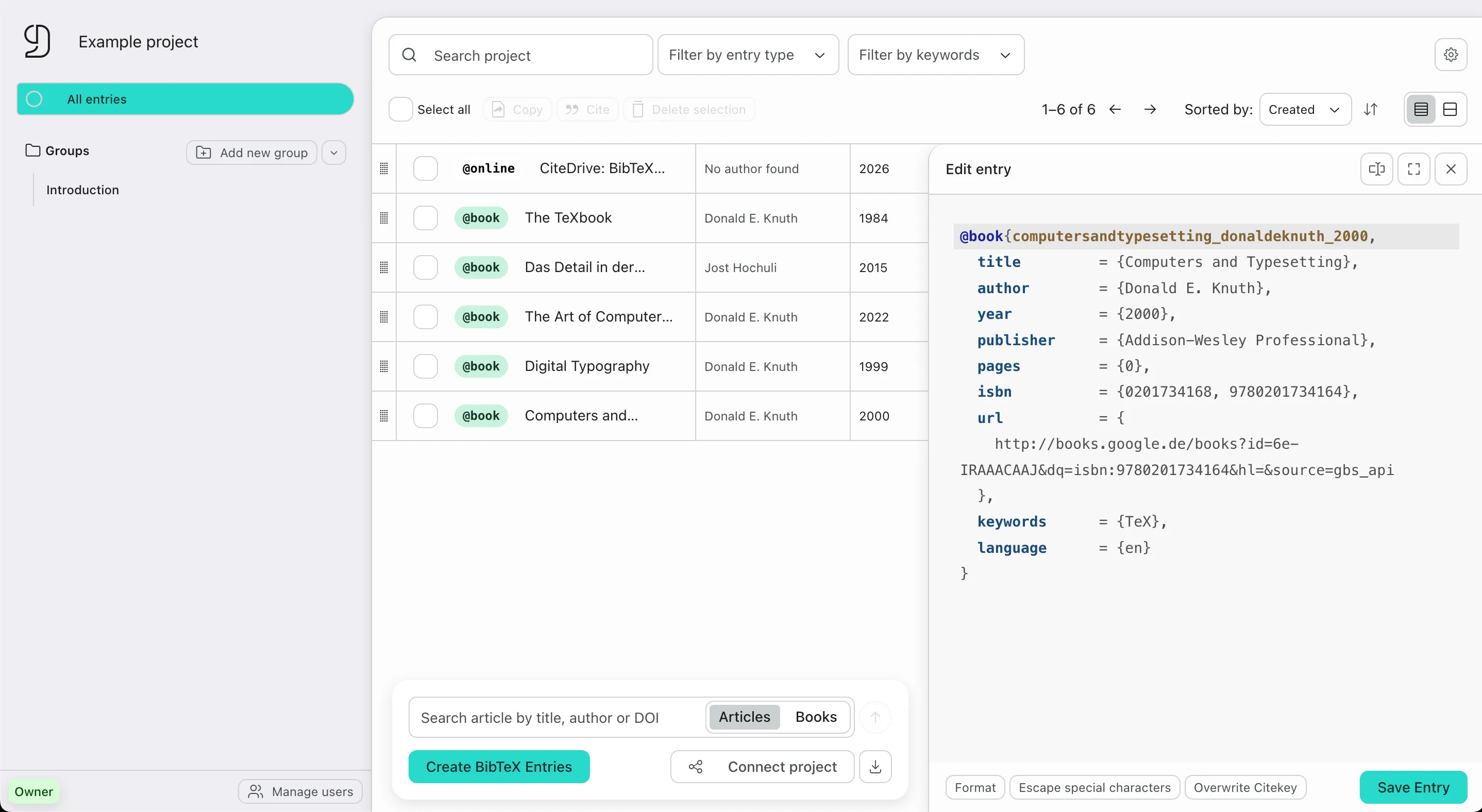
The straightforward BibTeX-first reference manager for Overleaf, RStudio, Quarto and more.
- Collaborate without emailing outdated bibliography files
- Connect your .bib file directly to Overleaf, RStudio and more
- Save references directly from academic websites
-
Project-based libraries
Create dedicated .bib libraries for each project, paper or team while keeping full BibTeX and BibLaTeX control. No messy exports or Git conflicts needed.
Learn more about project libraries -
Connect your libraries
Use a live .bib URL in Overleaf, RStudio, Quarto, Typst and other editors so projects always use the latest references.
Learn more about how to connect your project libraries -
Save references while you research
Collect references directly as BibTeX entries from academic databases like Google Scholar and PubMed with our browser extension.
Learn more about the browser extension
Built-in features
Cite in Context
Collect references from Google Scholar, PubMed and non-DOI websites without leaving the page.
Connect your bibliography
Use a live .bib URL in Overleaf, RStudio, Quarto, Typst and other editors.
Collaborate seamlessly
Invite collaborators, collect references together and stop sharing stale .bib files.
BibTeX editor with readymade templates
Create BibTeX entries with readymade templates for BibTeX and BibLaTeX.
Customize
Use custom fields, extended BibLaTeX entry types and project-specific bibliography setups.
Control and Error-Handling
Detect duplicates, preview entries and catch formatting issues before they break your document.